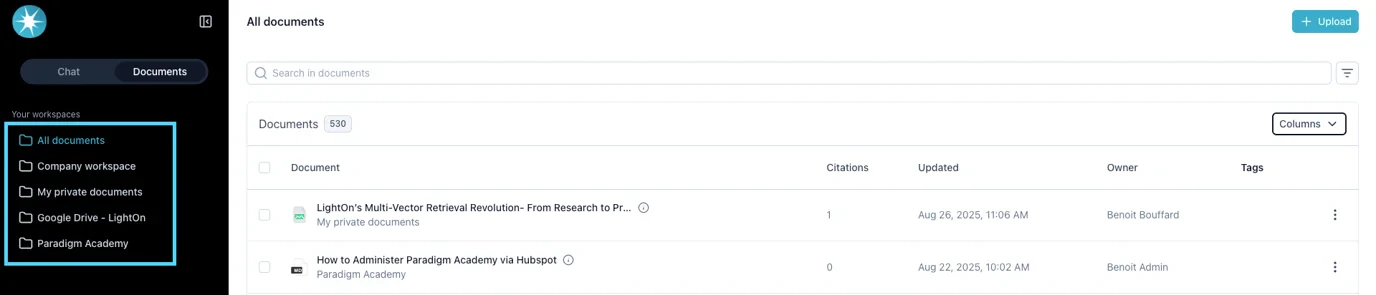
Overview From the Documents page , you can view and manage all documents you have access to. This interface provides multiple ways to upload, search, filter, preview, and edit documents, depending on your permissions.
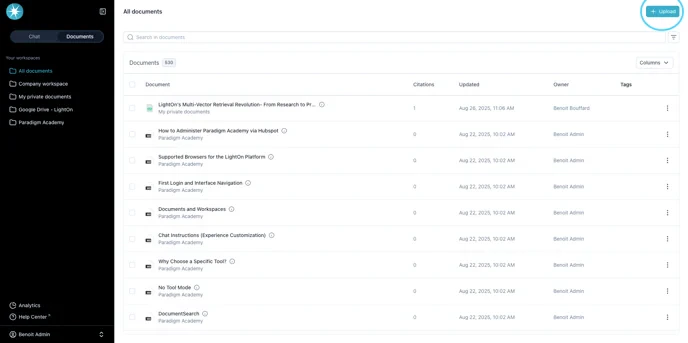
1. Uploading Documents
Use the Upload button in the top-right corner.
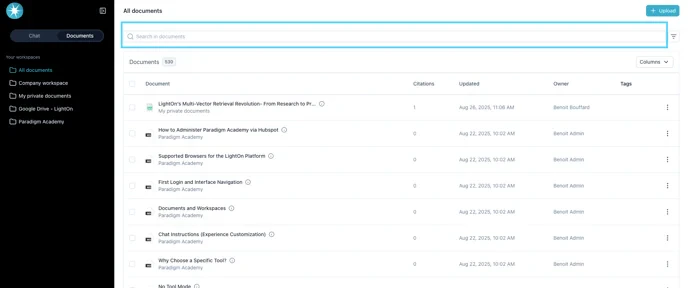
2. Searching Documents
Use the search bar to find documents. (Search is based only on document names .)
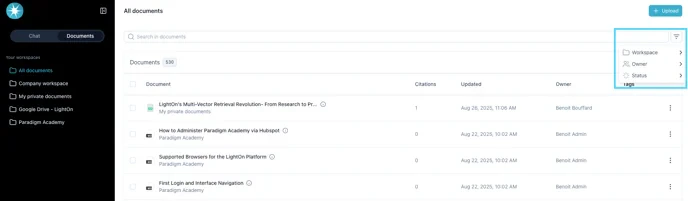
3. Filtering Documents Use the filter icon to refine the list by:
Workspace (folder)Owner (who uploaded the document)Status of the document
Document Statuses
Pending : Waiting to start processing (e.g., heavy upload load).Parsing : Document is being split into parts.Parsing failed : Splitting failed; document unusable.Embedding : Content is being analyzed and chunked.Embedding failed : Embedding failed; document unusable.Embedded : Document is ready to use.Fail : Generic failure; document unusable.Updating : Document is being updated (common with synced sources such as Google Drive, SharePoint, ServiceNow, Teams, etc.).
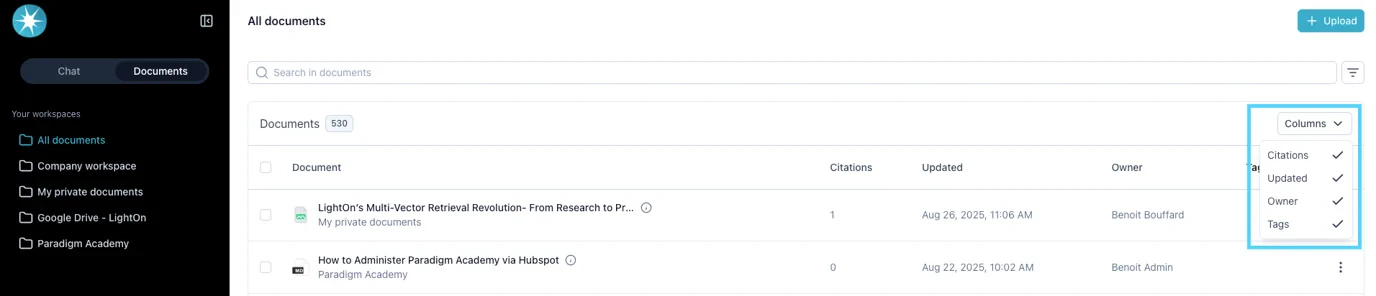
4. Customizing Columns Click Columns to choose which metadata to display:
Citations : Number of times the document was cited in conversations.Updated : Last update date.Uploaded : Original upload date.Owner : Who uploaded the document.Tags : Automatically generated tags (created during nightly processing).
5. Workspace Filtering
Use the left-side menu to filter by workspace(s) .
Tip: If you filter by a workspace and then click Upload , the selected workspace is automatically applied.
6. Document Preview & Summary
Click a document row to preview its content.Hover over the “i” icon next to a document to see its summary .
For each document, use the three-dot menu to:
Preview the document
Rename the document
Delete the document
8. Multi-Select and Bulk Actions
Check one or more boxes next to documents to enable bulk actions:
Explore selected → Route to chat with these docs preloaded.Download → Export selected documents.Delete → Remove selected documents.
Permissions and Limitations
The list of documents is limited by your workspace access and user permissions .
If you are not a Document Manager , you cannot upload documents into the Company workspace .
If you cannot see a workspace you should have access to, contact your admin .