

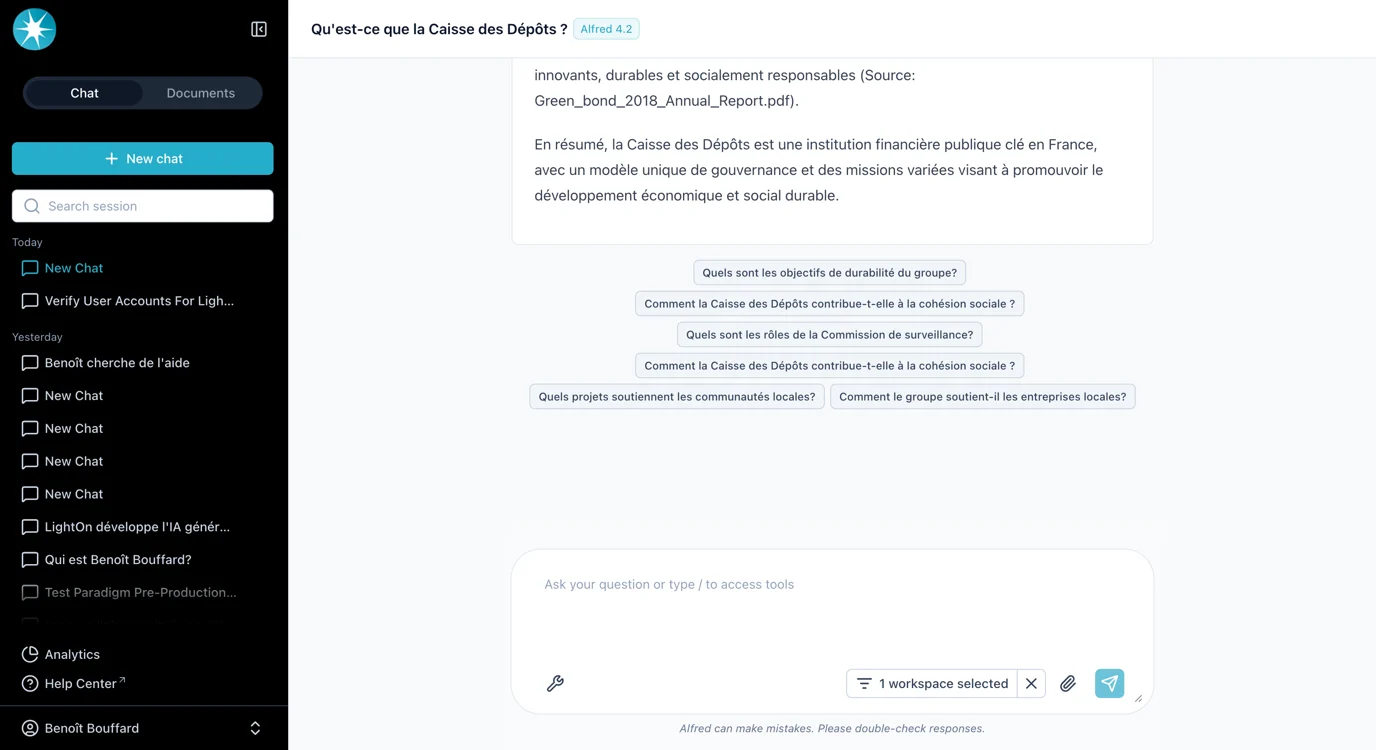
How It Works
- Suggested queries are computed overnight.
- If you upload a new document today, you will need to wait until the following day to start seeing suggested queries for it.
- For some documents, it may not be possible to create meaningful suggested queries. In such cases, the pipeline automatically drops them because they are not relevant.
- Suggested queries appear directly below the model’s response (see screenshot example).
Administration & Settings
Administrators can enable or disable this feature globally.-
The toggle is available in the Admin Config page:
Config Key Settings -
The relevant configuration key is:
-
Scope:
- This setting applies to the entire instance.
- It is not possible to enable or disable suggested queries for specific companies.
Key Notes
- Suggested queries are designed to improve discovery and user guidance.
- They will not always appear, since they depend on the quality of the available content.
- Admins retain full control to globally activate or deactivate the feature.